hello
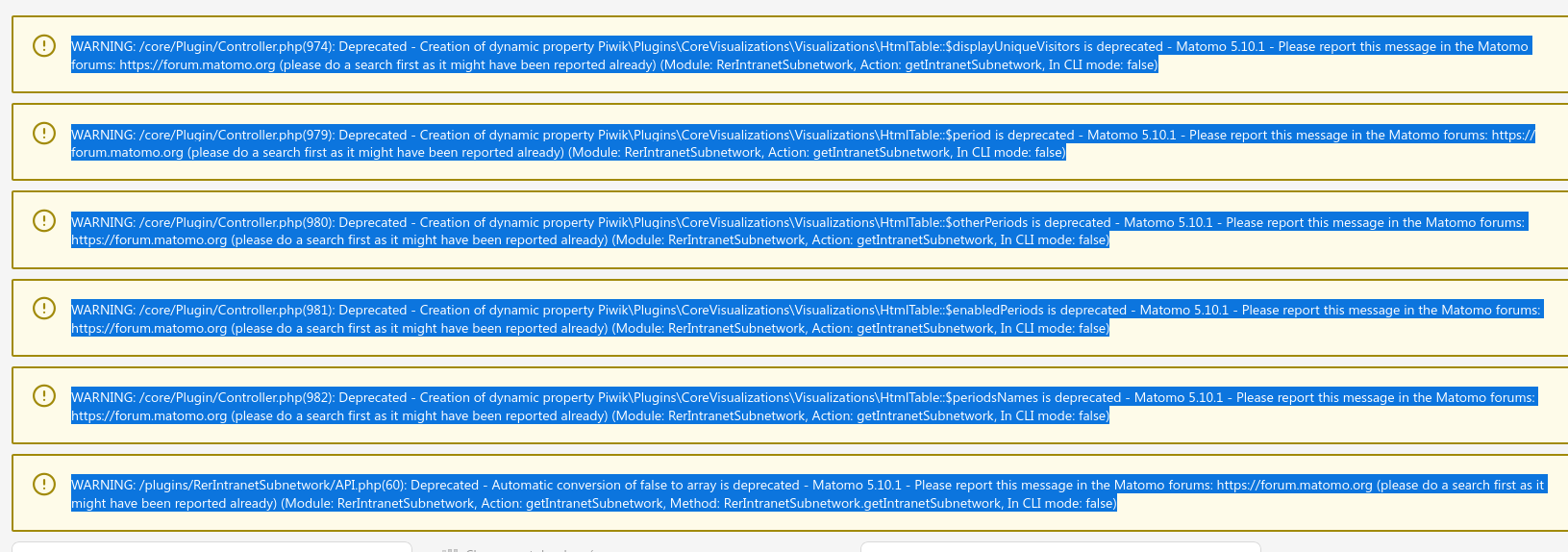
I have différents errors of plugin How to resolve tem Thank you 
Version de Matomo: 5.10.1
Version de MySQL: 10.6.21-MariaDB
Version de PHP: 8.3.16
hello
I have différents errors of plugin How to resolve tem Thank you
Version de Matomo: 5.10.1
Version de MySQL: 10.6.21-MariaDB
Version de PHP: 8.3.16
These are PHP 8.x deprecation notices, not real errors and not a database/MySQL problem. They’re all emitted by one third-party plugin RerIntranetSubnetwork (a community plugin by Regione Emilia-Romagna), which uses pre-PHP-8.2 coding patterns. On your PHP 8.3.16 they’re harmless noise today, but they’ll become fatal errors on PHP 9.0 which could be released in 2027 at the earliest but since no date is announced, possibly later.
One important thing: the “Please report this message in the Matomo forums” text is generic boilerplate that Matomo’s deprecation logger appends to every deprecation, no matter who caused it. Here the cause is a third‑party plugin, so the Matomo core team won’t fix it. Reporting it to the RegioneER GitHub repo (https://github.com/RegioneER/RerIntranetSubnetwork) is the right move.
thank you so much for your answer
Hi, it looks like you’re getting several deprecation warnings rather than a complete failure. Could you share your PHP version and let us know if these messages appeared after a Matomo update? That information will make it easier for others to help identify whether it’s a compatibility issue with the current plugin or server setup.