<script>
  var _paq = window._paq = window._paq || [];
  /* tracker methods like "setCustomDimension" should be called before "trackPageView" */
  _paq.push(['trackPageView']);
  _paq.push(['enableLinkTracking']);
  (function() {
    var u="https://xxxxxxxx/matomo/";
    _paq.push(['setTrackerUrl', u+'matomo.php']);
    _paq.push(['setSiteId', '1']);
    var d=document, g=d.createElement('script'), s=d.getElementsByTagName('script')[0];
    g.async=true; g.src=u+'matomo.js'; s.parentNode.insertBefore(g,s);
  })();
</script>
But I do not understand what going on . thanks for help
With your recent post in mind, you are referring to your Wordpress Matomo Installation right?
So i assume you installed the Matomo Wordpress Plugin and you have now also added the tracking code manually?
If my assumptions are correct and I understand it correctly you don’t have to add tracking script manually the Wordpress Plugin does that automatically.
If this is not the case, I would suggest inspecting the page:
View source (Ctrl+U) > Ctrl+F for setSiteId or matomo.js. You’ll see it twice.
Or in the Console, type _paq and expand it → you’ll see duplicate [‘setTrackerUrl’, …] and [‘setSiteId’, …] entries.
Or the Network tab → matomo.js is loaded twice (and you’ll see two requests to matomo.php per page view).
Are there multiple code snippets pointing to the same URL and site?
I guess you are using YOOtheme Pro and you added copy A like that: Joomla admin > System > Site Templates > YOOtheme (open the customizer) > Settings > Scripts
While copy B looks very similar to how how a Joomla Matomo plugin is injecting the code.
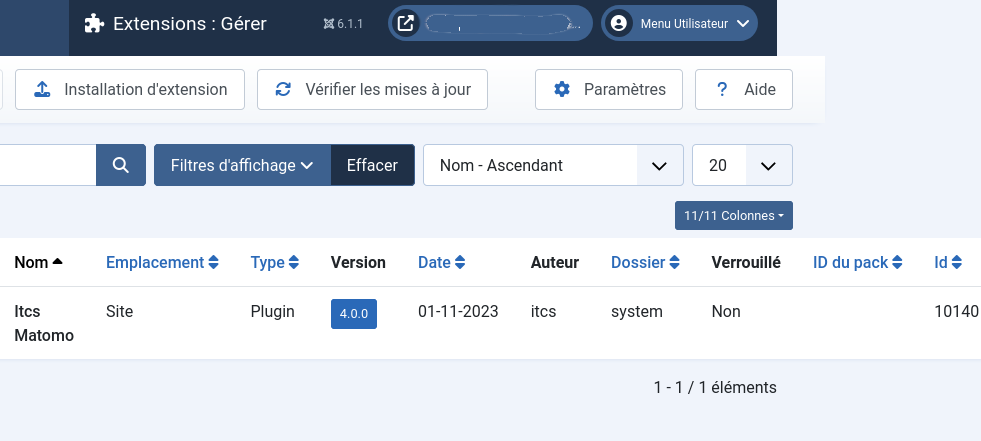
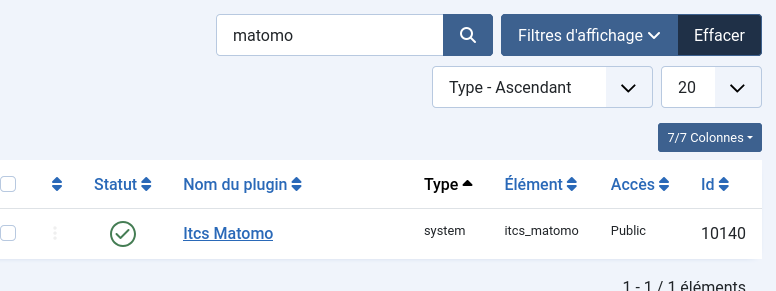
Can you confirm its the YOOtheme and Joomla admin > System > Manage > Plugins has the Matomo Plugin installed?
If this is the case, you can safely remove one of those tracking scripts probably Copy A would be my candidate to remove.
Yes, I’m using Yootheme Pro and Joomla 6, and I put the code in the Yootheme Joomla settings – Administration Panel/Yootheme/Settings/Script. I confirm that the Matomo plugin is correctly installed in Joomla (in the administration panel: System > Manage > Plugins). I removed the code that was in the Yootheme settings. Apparently, the “error” has disappeared.
Perfect. That meant that the Joomly Matomo Plugin itself also injects its tracking code, so no need to add the custom tracking code in the header section.