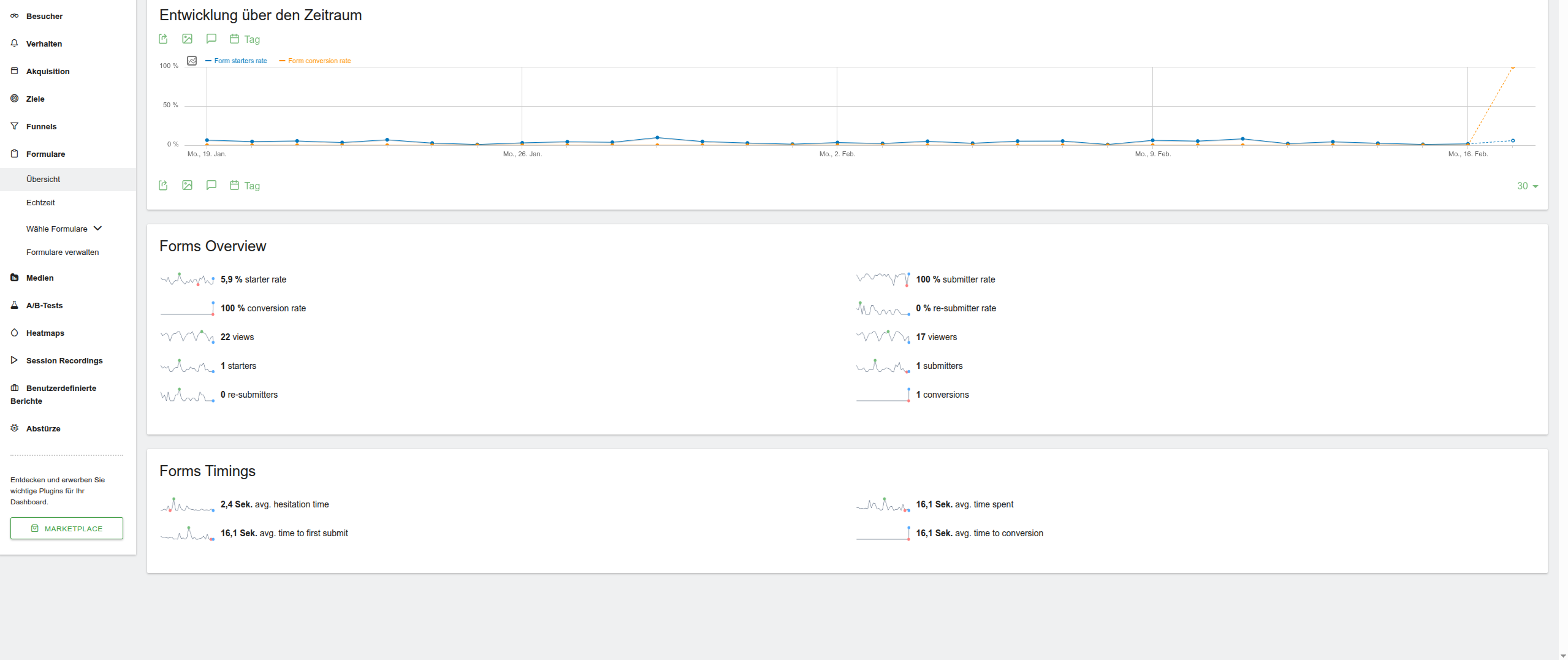
I’m currently working with the latest Matomo version and the latest version of the Form Analytics plugin.
What I’m struggling with is getting an overview of which forms were submitted and how often within a selected time range, without having to open each individual form’s detail/report page one by one.
I would have expected something similar to the page views overview:
a central listing that shows all tracked forms along with their submission counts for the selected period.
At the moment, the only way I see is to manually navigate into each form’s analysis page, which is not very practical if you’re tracking many forms.
Am I missing an existing feature or report that provides this kind of aggregated overview?
Or is this currently not supported by the Form Analytics plugin?
Any clarification or best practice would be appreciated. Thanks!
I assume you are using the Forms plugin? The forms overview provides a conversion rate based on the date selected in the date picker for each form. Or this is missing some details for you?
However, unlike in the demo, I don’t see individual forms listed in the overview of the report. In my case, there is no overview showing specific forms with their metrics at a glance.
Even on the demo site, as far as I can see, not all forms are displayed with a full overview either — which made me wonder if this behavior is expected.
Is there a specific configuration or setting required to have individual forms appear in the overview report?
Or is the overview intentionally limited in that way?
You could try using a custom report with “Form Name” as the dimension and “Form Submissions” as the metric, then filter by your selected date range. That setup should give a clear overview of submissions per form for the period you need.
I have moved this post to Premium Features; that team might get back to you. If the form has had conversions across the period selected, I would expect the overview to show these conversions. If you can find a visit with a conversion within the date range and it’s missing from the overview. I would be interested to see the screenshots.
Regarding the custom report workaround: unfortunately, I don’t have the Custom Reports premium add-on, so I’m not able to use this approach at the moment.
To the second point, just to make sure I understand this correctly:
Is the expectation that a form only appears in the overview once it has produced at least one conversion within the selected date range?
Up to now, I had not defined any conversion criteria for the forms, so I only had form submissions but no conversions. To test this behavior, I have now defined a conversion criterion and triggered it successfully.
However, even with a confirmed conversion within the selected date range, the form still does not appear in the overview.
Please let me know if I’m misunderstanding how the overview is supposed to work, or if there are additional requirements or configurations involved.
The feature you are looking for is not available in Forms Overview.
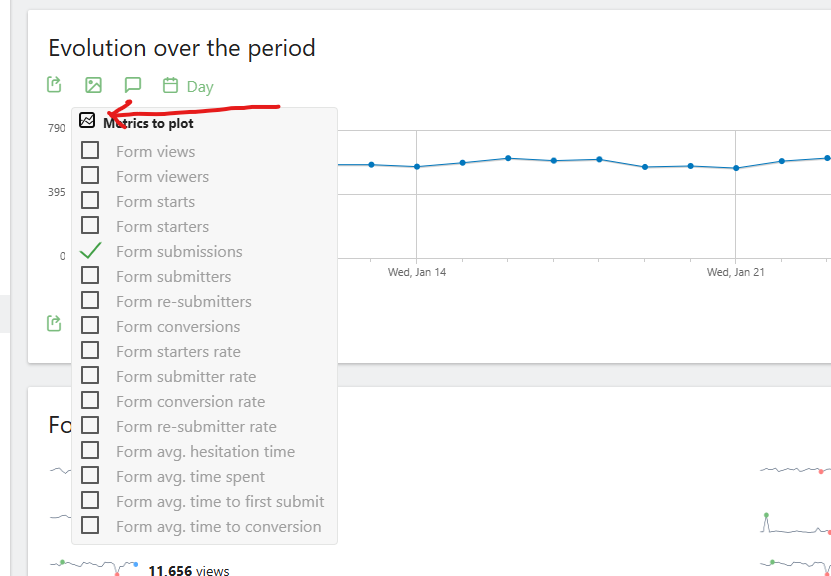
What you can do is create a segment for the forms you have. Once you’re done creating segment, choose that segment while in the Forms > Overview tab. From there. tick this box and select “Form submissions”:
You basically want a “dashboard view” for all forms — like pageviews overview in Matomo — instead of clicking into each form one by one. That feeling of jumping form-to-form gets painful real quick when you have many forms running.
I faced something similar while setting up tracking for multiple landing pages and lead forms — everything was there, but scattered inside individual reports, so comparing was honestly a headache.
What worked for me (not perfect, but practical):
Use Matomo custom reports if available, to pull form events in one table view
Push form submissions into events with form ID/name so you can group them later
Or create a simple tag naming system (Form_A, Form_B) to make filtering easier in reports
Not sure if it helps, but sometimes plugin-level limitations need a bit of workaround instead of waiting for a built-in overview.
I’ve seen similar tracking setups while working on analytics structure for Flixfox projects too.
Do you think a global “Forms Overview Dashboard” would actually replace your need, or you still prefer per-form deep dives?