A successful upgrade doesn’t always mean the reporting data is being processed correctly. Since the problem started immediately after upgrading from Matomo 4.4.1 to 5.11.1, there are a few things I’d check first:
Verify whether new visits are actually being tracked by opening Visitors → Real-time and visiting your site yourself.
Check whether the archive reports are being generated. If you’re using cron archiving, make sure the archiving job is still running successfully after the upgrade.
Review Administration → System → Diagnostics (or the Matomo logs) for any database or archiving errors that may not appear in the basic System Check.
Clear the Matomo cache and, if available, trigger Invalidate archived reports so Matomo rebuilds them.
Since you’re upgrading across several major versions, it’s also worth running any pending database migrations again to ensure nothing was skipped.
If those don’t reveal the issue, it would help if you could share:
Do Real-time Visitors show new visits?
Are all websites affected or just one?
Is the visit count missing for only new data, or has all historical data disappeared as well?
Are you using browser archiving or a cron job for archiving?
Those details should make it much easier to identify whether this is a tracking, archiving, or database migration issue.
Verify whether new visits are actually being tracked by opening Visitors → Real-time and visiting your site yourself.
No, they don’t, it’s all blocked at 14th June 2026. Nothing since.
Review Administration → System → Diagnostics (or the Matomo logs) for any database or archiving errors that may not appear in the basic System Check.
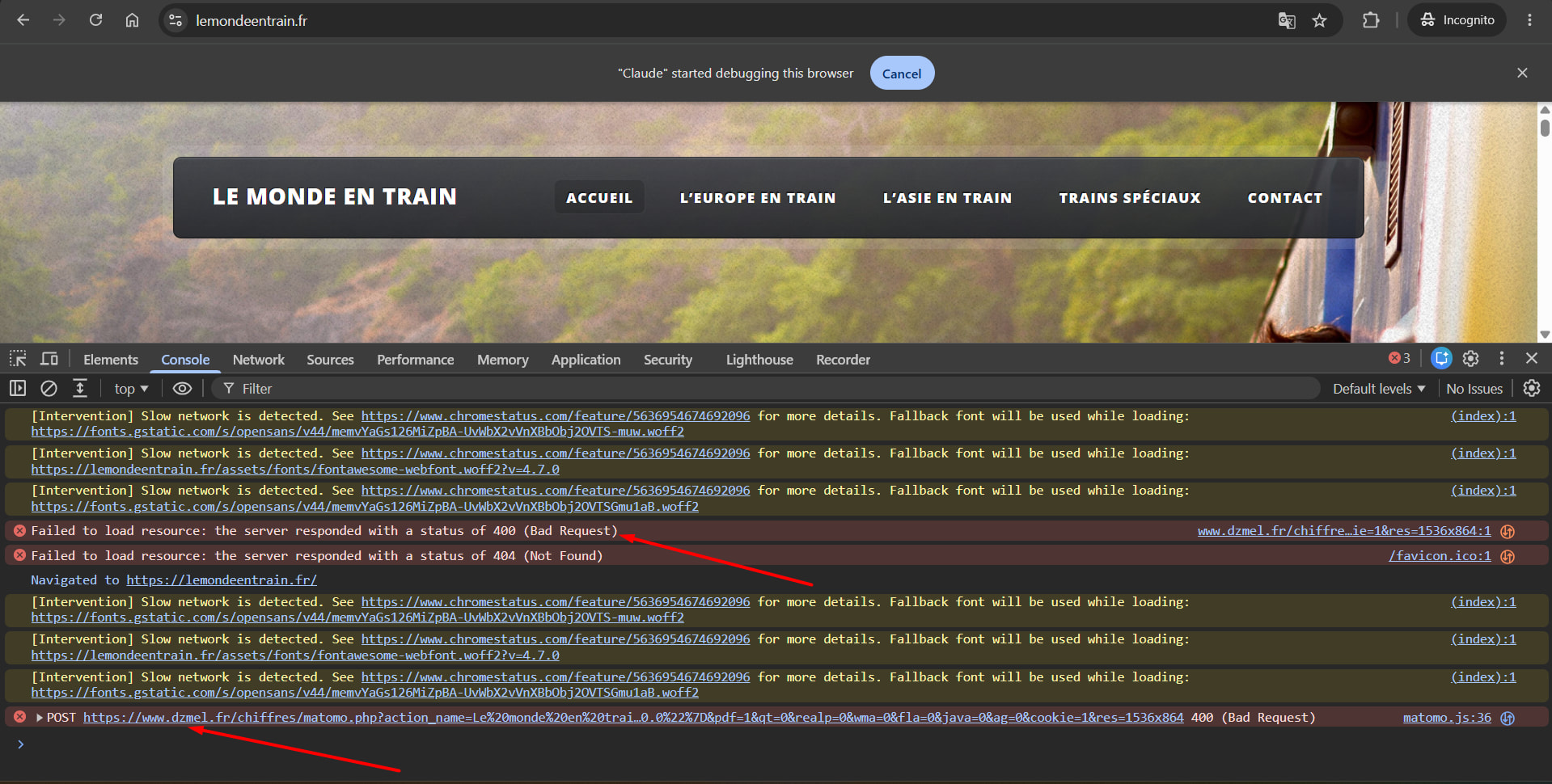
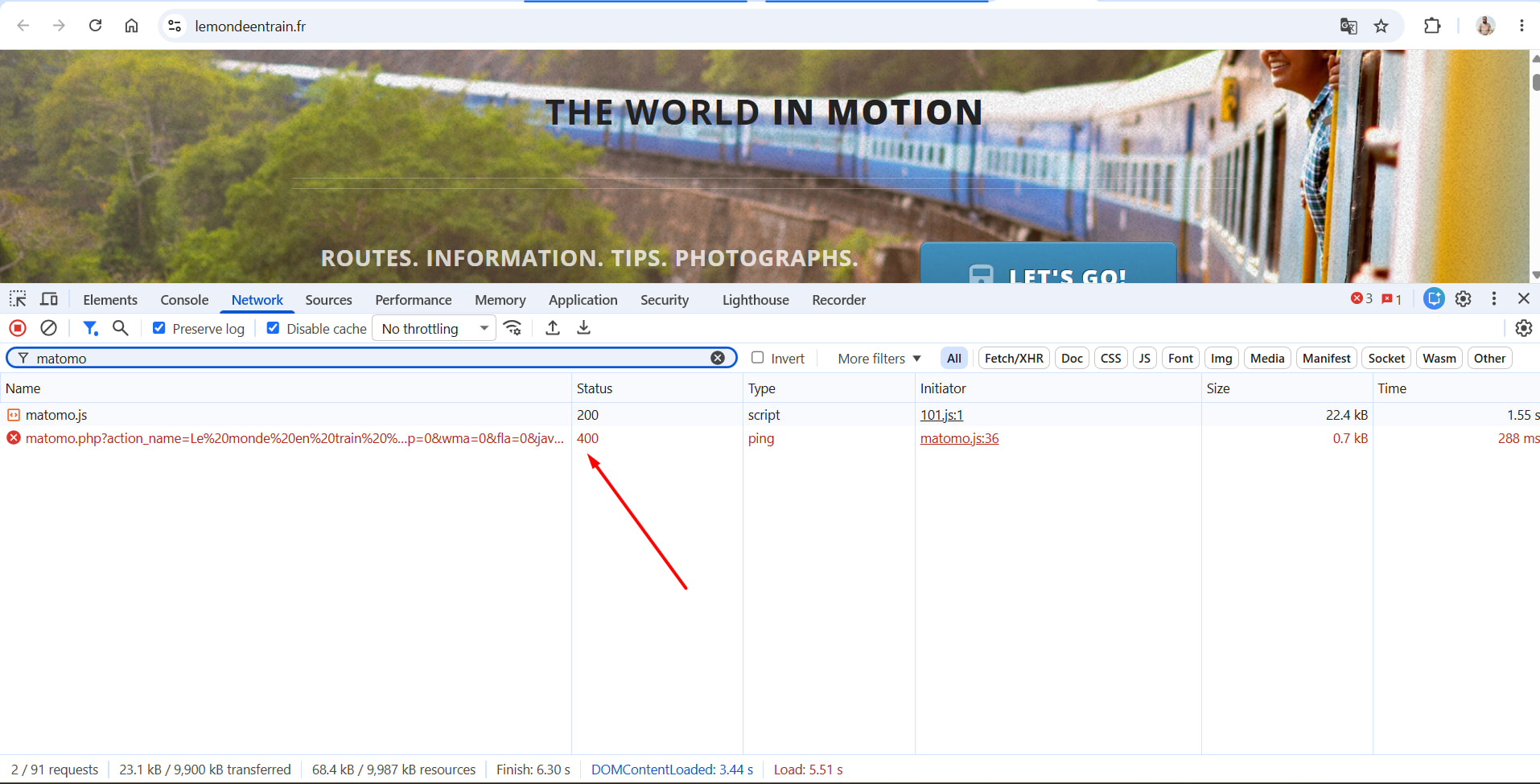
Yes, tons of errors in the logs (see my previous message).
No issue in the diagnosis though.
Are all websites affected or just one?
All.
Is the visit count missing for only new data, or has all historical data disappeared as well?
I can see former data.
Are you using browser archiving or a cron job for archiving?
Browser cache.
The log that I posted before show an issue in the database format, probably a failed update? So no data seems to be recorded because all MySQL requests fail.
Matomo 5 changed some internal archiving logic, and if the upgrade process didn’t fully migrate/re-archive your existing data, the raw visit logs might still be intact in matomo_log_visit but the aggregated reports (what the dashboard actually reads) haven’t been rebuilt yet. Try forcing a re-archive via the CLI:
This regenerates the report data from scratch based on raw logs, which is often the fix after a large version jump.
Check for failed migration steps. Since PHP 7.4 is well below what Matomo 5 actually recommends (Matomo 5 wants PHP 7.4+ but really benefits from 8.1+, though 7.4 should still technically work), verify there’s no silent migration failure. Go to Administration > System Check and also check the actual updater log file directly on the server, usually somewhere like tmp/logs/ or check matomo_log_error in phpMyAdmin if enabled, sometimes migrations partially fail without surfacing clearly in the UI “success” message.
Confirm the date range/website selector isn’t the actual issue. Sounds basic, but after major upgrades some users find the dashboard is just defaulting to an unexpected date range or the wrong site ID got selected post-migration. Double check you’re not just looking at an empty date range before assuming it’s a data loss issue.
If raw data really is missing: Check matomo_log_visit table row counts directly via phpMyAdmin/database client, compare against what you’d expect. If the raw logs are there but reports are empty, it’s an archiving issue (fixable via the command above). If raw logs themselves are gone, that’s a much bigger problem pointing to a failed migration script during the version jump, and you’d want to restore from a pre-upgrade database backup if you have one before doing anything else.
Given you jumped multiple major versions at once, I’d genuinely recommend restoring your pre-upgrade backup if available, then upgrading incrementally (4.4.1 → 4.x latest → 5.0 → 5.11.1) rather than troubleshooting forward, large version-skip upgrades are exactly where Matomo’s migration scripts are most likely to hit an edge case they weren’t tested against.
Losing visit counting immediately after upgrading to Matomo 5.11.1 sounds like an important issue, especially if tracking was working normally before the update. It would be helpful to compare the tracking configuration before and after the upgrade and check whether visits are still being received but not processed or reported correctly.