Hi Matomo team,
I am planning to use Matomo for my internal web project and currently setting it up.
I am tracking events using the JavaScript tracker like below:
_paq.push([‘trackEvent’, ‘Plan A’, ‘Plan A Landing Page View’]);
_paq.push([‘trackEvent’, ‘Plan A’, ‘Plan A Details Page View’]);
_paq.push([‘trackEvent’, ‘Plan B’, ‘Plan B Landing Page View’]);
_paq.push([‘trackEvent’, ‘Plan B’, ‘Plan B Landing Page View’]);
In the Matomo UI, I can see these events under Behavior → Events
However, on the Dashboard, Matomo provides only one standard widget for “Actions: Event Actions” or “Actions: Event Names”, which mixes all events together.
What I want to achieve
I want to create multiple dashboard widgets for “Actions: Event Actions” or “Action: Event Names“ for example:
There should be 2 widget for “Actions: Event Actions”
Widget 1 – Plan A
-
Plan A Landing Page View -
Plan A Details Page View
Widget 2 – Plan B
-
Plan B Landing Page View -
Plan B Landing Page View
So that each widget shows only a specific set of actions, instead of all actions combined.
For example, multiple set of widgets as displayed in image below:**
**
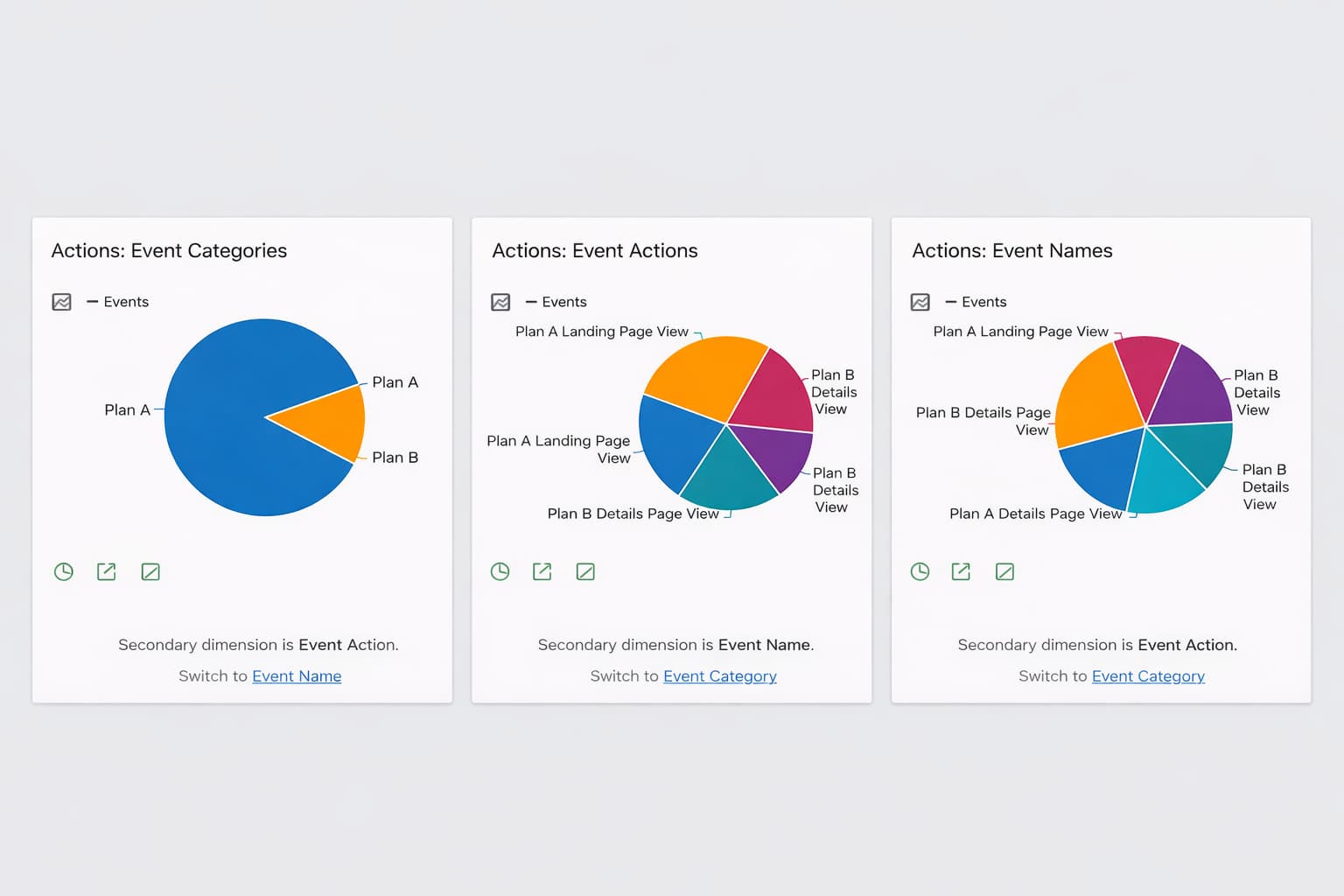
**
What I have tried:
- Custom Dimensions**
I created a Visit Custom Dimension and an Action Custom Dimension
I tried setting values using:
_paq.push(['setCustomDimension', 1, 'WavePlan']);
But I could not clearly map this to multiple dashboard widgets filtered by actions.
-
Tag Manager
I created custom events and tags using_mtm.push({ event: '...' })
Tags and triggers fire correctly
But I still don’t see a straightforward way to create **separate widgets per action group -
Segments**
I don’t see an obvious way to create reusable widgets filtered by specific Event Actions only.
My main questions
Is it possible in Matomo to create multiple dashboard widgets for:
-
-
Multiple “Actions: Event Categories”
-
Multiple “Actions: Event Actions”
-
Multiple “Actions: Event Names”
If yes, What is the recommended approach?
If no, What is the best Matomo-recommended workaround to logically group actions and visualize them separately on the dashboard?
-