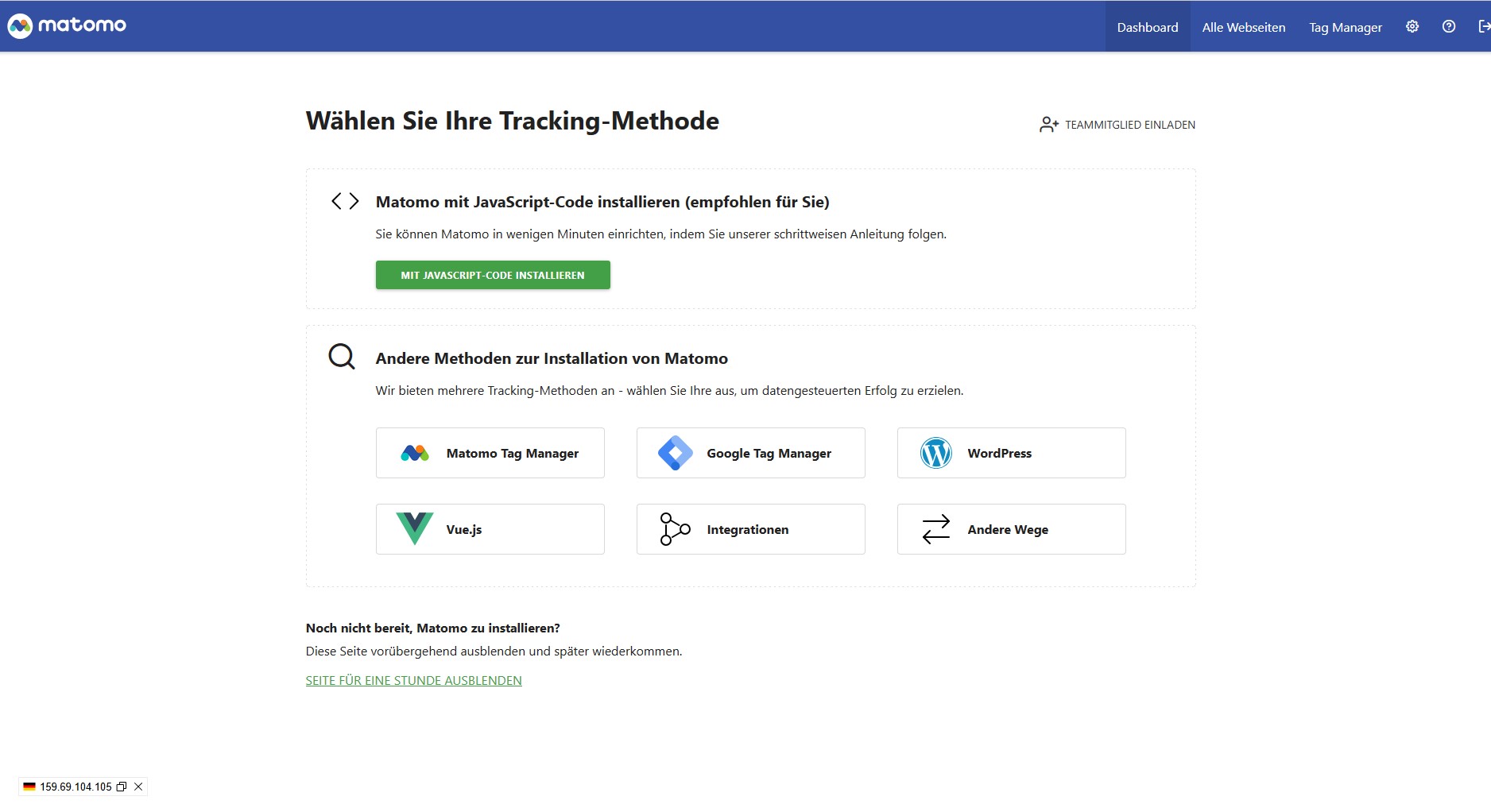
Hi
i already added the Tracking code to my page and Matomos test (if the code exists on the page) was accepted / sucessfull.
Nevertheless i get always that starting page where i am told to choose a tracking method.
Its like a runaround and i have no option to skip it.
If i go to “All Websites” and cklick on my website i end up again on the dashboard
What do i have to do now?
Meanwhile the nagging dashboard has gone, but Matomo seems not to track anything.
I checked the tracking code.
Its there and i dont find any issues in the code itself.
Do you see anything wrong here?
kind regards
axel
<!-- Matomo --> <script> var _paq = window._paq = window._paq || []; /* tracker methods like "setCustomDimension" should be called before "trackPageView" */ _paq.push(['trackPageView']); _paq.push(['enableLinkTracking']); (function() { var u="``//matomo.diaboloqueen.com/``"; _paq.push(['setTrackerUrl', u+'matomo.php']); _paq.push(['setSiteId', '2']); var d=document, g=d.createElement('script'), s=d.getElementsByTagName('script')[0]; g.async=true; g.src=u+'matomo.js'; s.parentNode.insertBefore(g,s); })(); </script> <!-- End Matomo Code -->
<!-- Matomo -->
<script>
  var _paq = window._paq = window._paq || [];
  /* tracker methods like "setCustomDimension" should be called before "trackPageView" */
  _paq.push(['trackPageView']);
  _paq.push(['enableLinkTracking']);
  (function() {
    var u="//matomo.diaboloqueen.com/";
    _paq.push(['setTrackerUrl', u+'matomo.php']);
    _paq.push(['setSiteId', '2']);
    var d=document, g=d.createElement('script'), s=d.getElementsByTagName('script')[0];
    g.async=true; g.src=u+'matomo.js'; s.parentNode.insertBefore(g,s);
  })();
</script>
<!-- End Matomo Code -->
If you still have trouble, try checking to see if any errors are showing in the browser console window. If you can reply with any errors that maybe showing there, that can sometimes help indicate whats happening.