Hi!
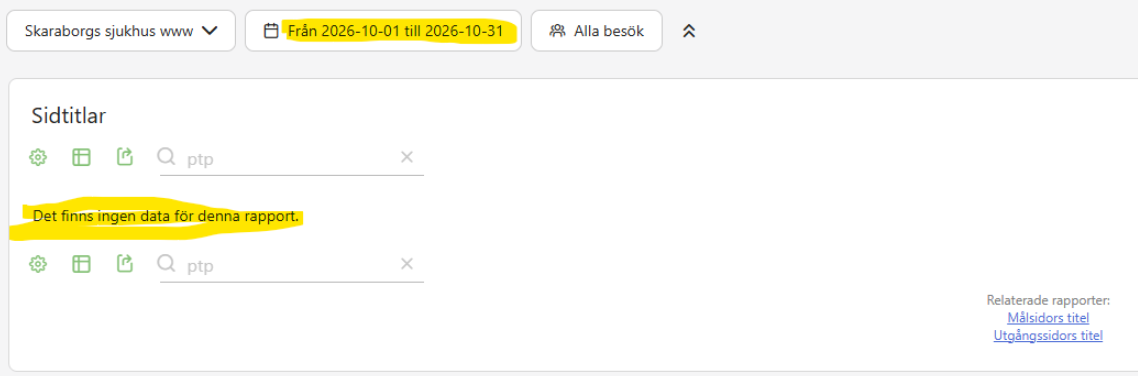
We used a custom date range 1 October to 31 October and looked at the report Pagetitles. We noticed that some pages were missing in the report. The picture below shows you an example where I search for a pagetitle with “ptp” it is not included in the report as I get no result:
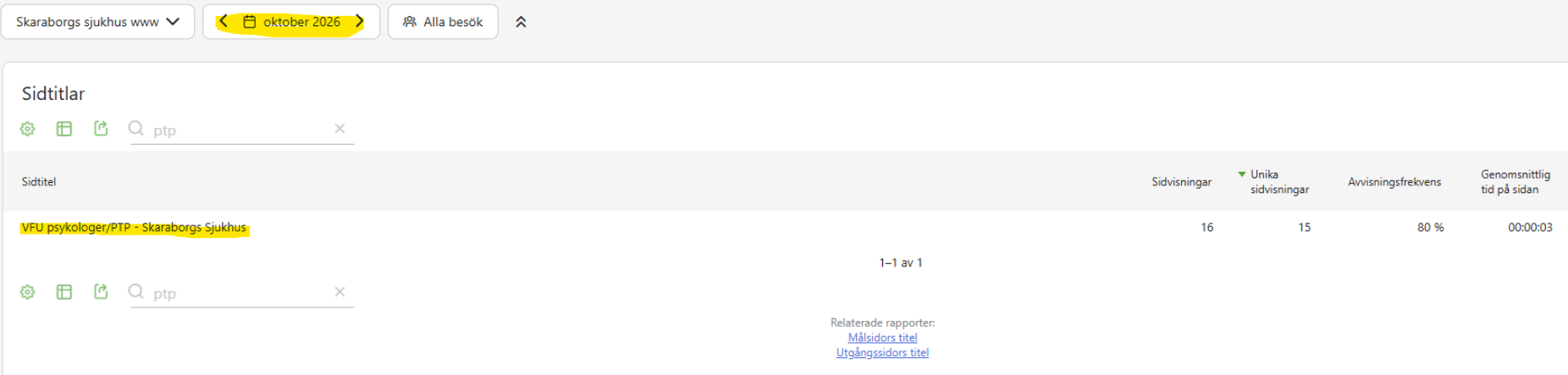
We used the date range “Month” and used October. Then all pages were included in the report Pagetitels. This picture shows you an example that a page named PTP is included in the report:
Since the month view shows the page and the custom range does not, the data is there and the custom range archive is the suspect. Try invalidating the archive for that range and letting it rebuild, and check the Others row in case the page is grouped there by the row limit.
I think that comes from the row limit. As far as I know the Pages report keeps only the top 500 rows per day and ranges get summed from those, so small pages can drop out. Raising datatable_archiving_maximum_rows_actions in config.ini.php and re-archiving is what I found, but I haven’t tried it myself.